使用说明
Hello3DMCP前端
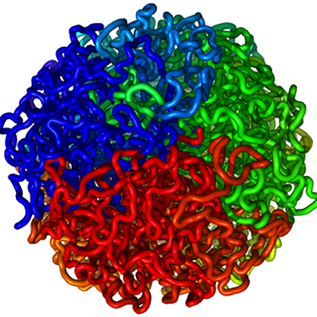
Three.js可视化应用程序,让Claude通过MCP实时控制3D模型。
特征: 交互式旋转/缩放•实时MCP更新
快速开始
要求: Node.js v18+、npm和 hello3dmcp服务器 跑步
npm install
npm run dev
打开 http://localhost:5173 --应用程序自动连接到MCP服务器 ws://localhost:3001.
生产
npm run build      # Creates optimized dist/ folder
npm run preview    # Preview the production build locally
Netlify部署
| 设置 | 值 |
|---|---|
| 构建命令 | npm run build |
| 发布目录 | dist |
| 环境变量 | VITE_WS_URL=ws://localhost:3001 |
项目结构
src/
├── Application.js        # Main app + WebSocket integration
├── SceneManager.js       # Scene & model manipulation
├── WebSocketClient.js    # Server communication
├── Model.js              # Model class
├── CameraController.js   # Camera controls
├── RotationController.js # Rotation handling
├── AreaLight.js          # Lighting
├── RayPicker.js          # Click/touch interactions
├── InteractionModeManager.js
├── constants.js
├── main.js               # Entry point
├── style.scss
└── utils/
    ├── color/
    └── coordinates/

public/models/            # 3D model assets
WebSocket协议
注册
在连接时,前端会注册其会话:
{ "type": "registerSession", "sessionId": "<session-id>" }
命令(服务器→ 前端)
changeColor · changeSize · scaleModel · changeBackgroundColor · setKeyLightIntensity · setKeyLightColor ·[详见MCP服务器文档]
状态查询
服务器请求状态:
{ "type": "requestState", "requestId": "<id>", "forceRefresh": false }
前端响应:
{ "type": "stateResponse", "requestId": "<id>", "state": { ... } }
发展
- 启动 MCP服务器
- 跑
npm run dev - 打开
http://localhost:5173?sessionId=<your-session-id>
故障排除
| 问题 | 检查 |
|---|---|
| WebSocket无法连接 | MCP服务器在端口3001上运行?正确的会话ID?浏览器控制台错误? |
| 未显示更改 | WebSocket已连接?会话ID匹配吗?服务器发送命令? |
相关
- hello3dmcp服务器 --控制此前端的MCP服务器
许可证
麻省理工学院——欢迎投稿!